
 English
 Español
350m/min Cutting Speed
80-1000GSM Cutting-Paper Reference Weight
±0.2mm Cutting Accuracy
High Efficiency
High Stability
High Precision
Wide Range Of Applications
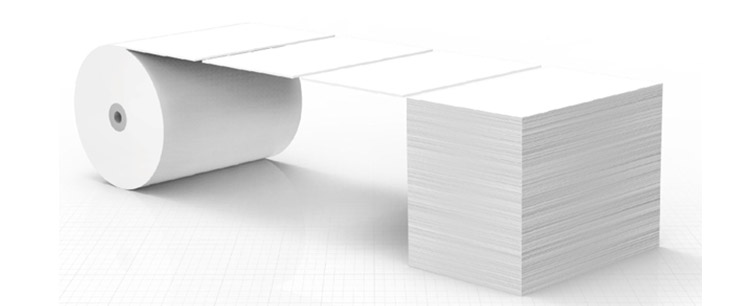
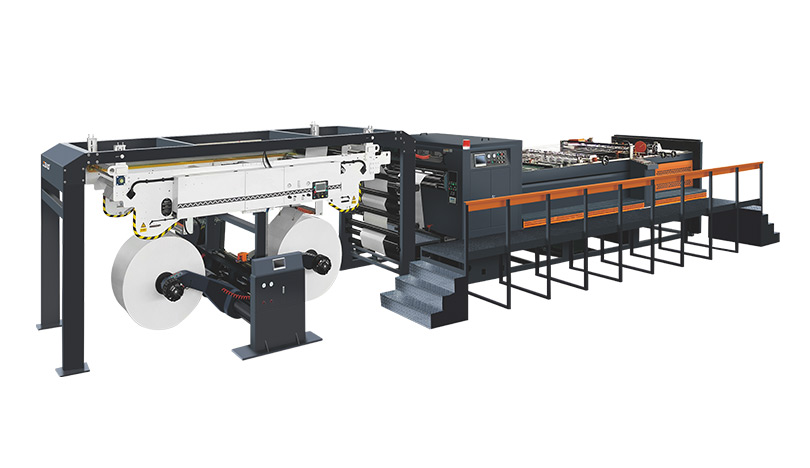
350m/min Cutting Speed
80-1000GSM Cutting-Paper Reference Weight
±0.2mm Cutting Accuracy
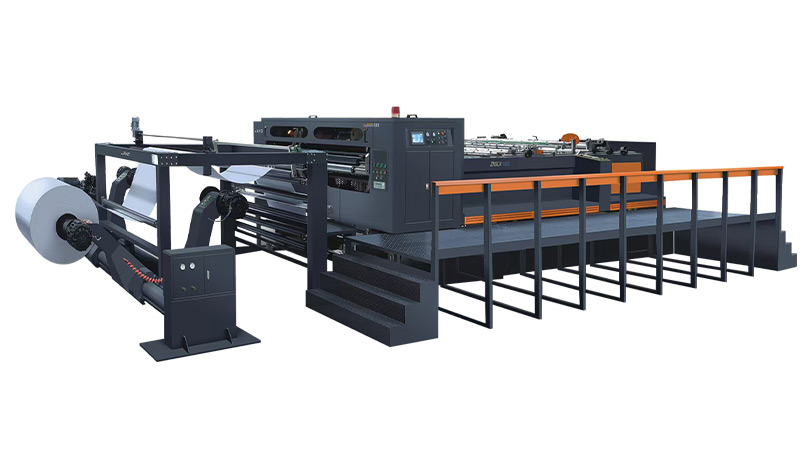
350m/min Cutting Speed
80-1000GSM Cutting-Paper Reference Weight
±0.2mm Cutting Accuracy
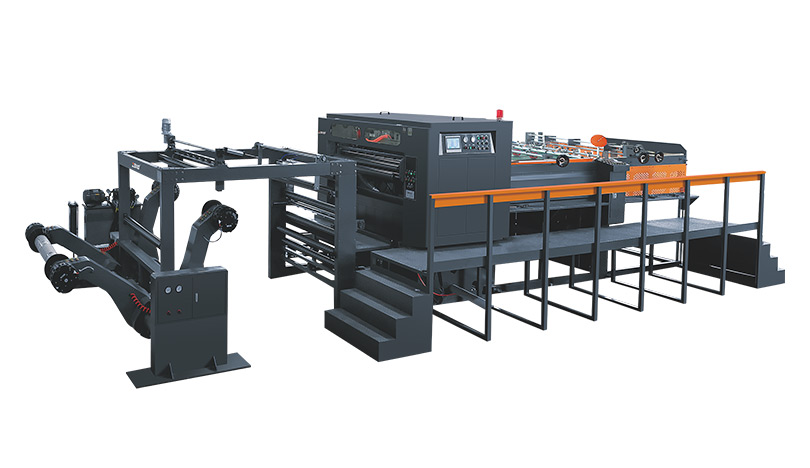
350m/min Cutting Speed
80-1000GSM Cutting-Paper Reference Weight
±0.2mm Cutting Accuracy
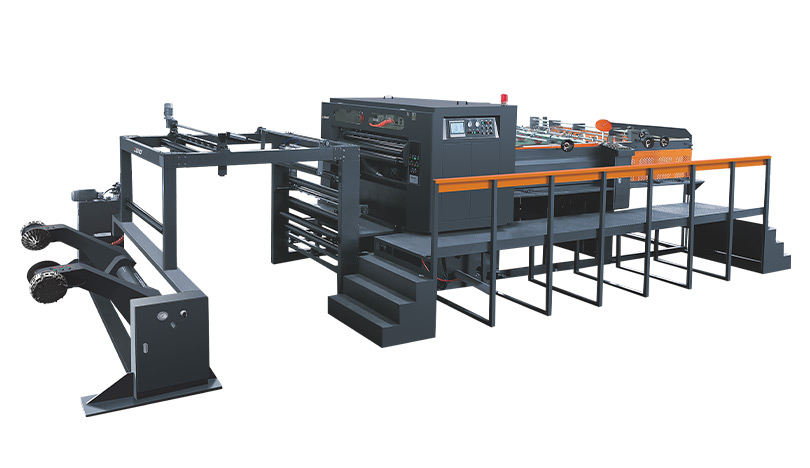
350m/min Cutting Speed
80-1000GSM Cutting-Paper Reference Weight
±0.1mm Cutting Accuracy
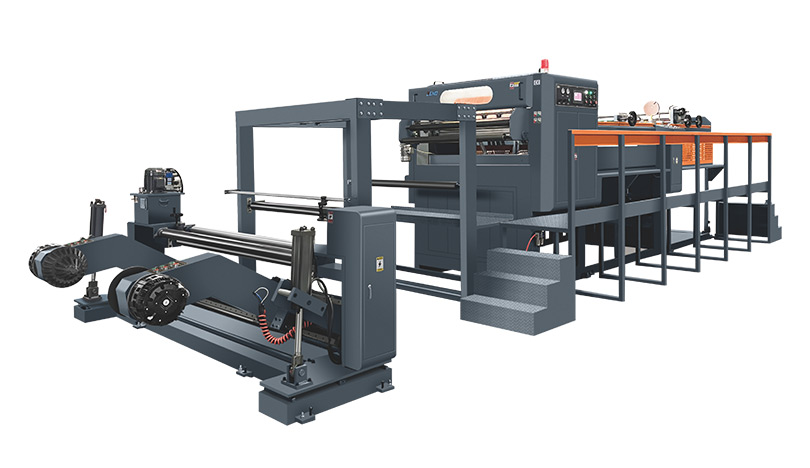
350m/min Cutting Speed
50-550g Cutting-Paper Reference Weight
±0.1mm Cutting Accuracy
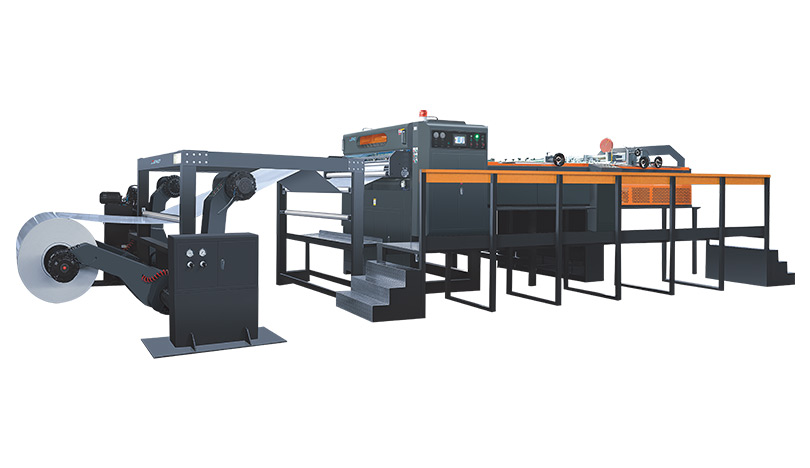
350m/min Cutting Speed
50-550g Cutting-Paper Reference Weight
±0.3mm Cutting Accuracy
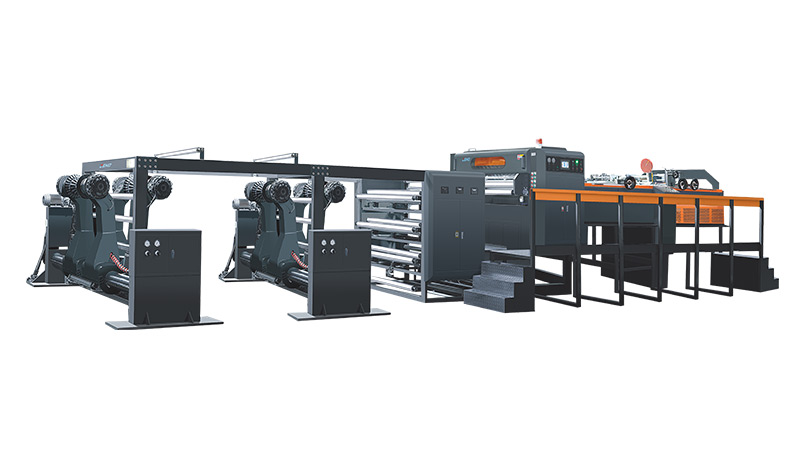
350m/min Cutting Speed
50-550g Cutting-Paper Reference Weight
±0.3mm Cutting Accuracy
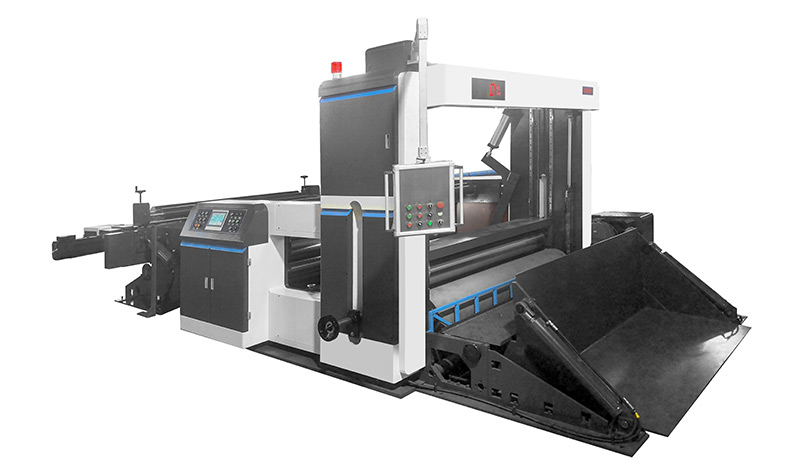
0-400m/min Slitting Speed
3000mm Max.Width of Unwinding
100mm(up to materials) Min.Slitting Width
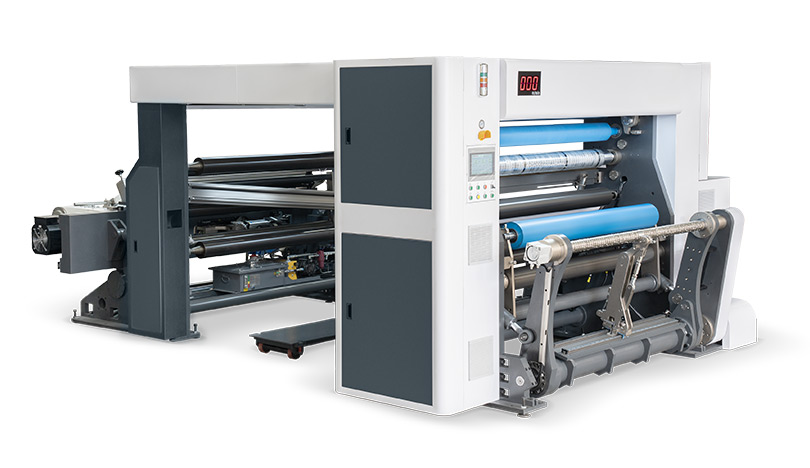
800m/min Slitting Speed
2600mm Max.Width of Unwinding
30mm Min.Slitting Width
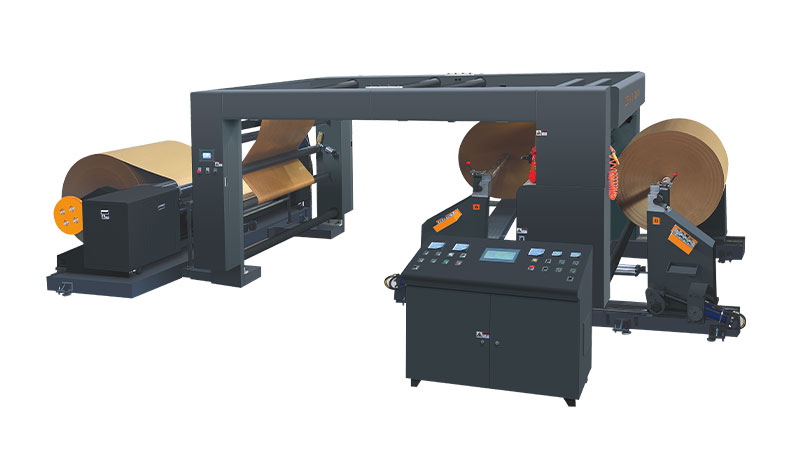
≤400m/min Slitting Speed
2800mm Max.Width of Unwinding
40mm(up to materials) Min.Slitting Width
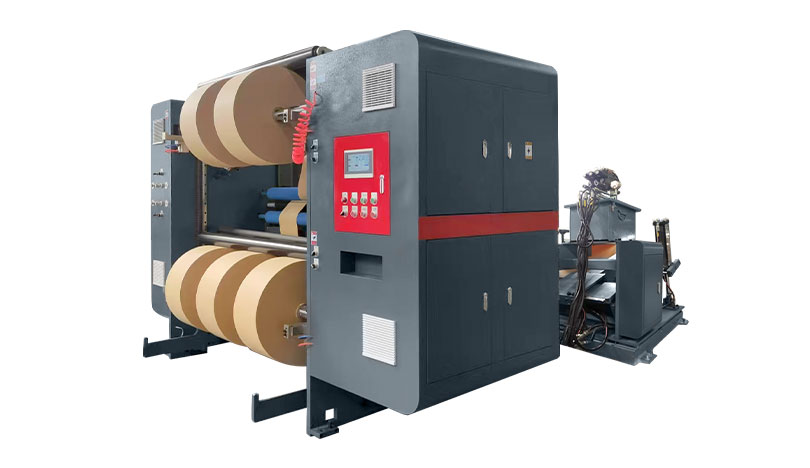
≤400m/min Slitting Speed
2000mm Max.Width of Unwinding
35mm(up to materials) Min.Slitting Width
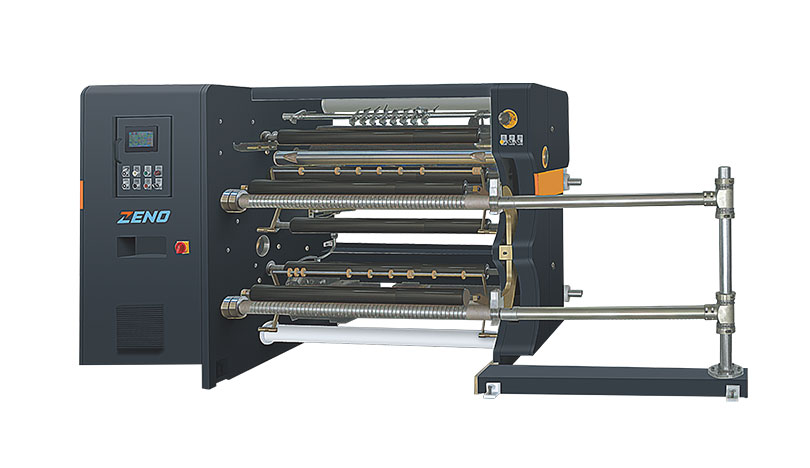
80-400m/min Slitting Speed
1700mm Max.Width of Unwinding
30mm Min.Slitting Width
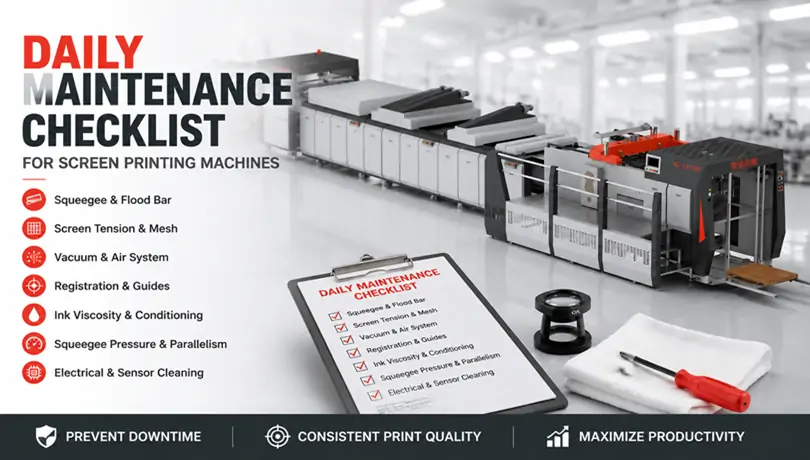
Inconsistent print quality and unplanned downtime on screen printing lines are rarely caused by sudden machine failure. More often, the problem starts with a maintenance gap that could have been caught hours earlier—a squeegee edge that has rounded slightly, a screen mesh losing tension over several shifts, or a vacuum port partially blocked by dried ink. A structured daily checklist, completed before the first sheet feeds, prevents the majority of quality drift on sheet-fed screen printing equipment.
The routine below takes about 20 minutes and requires no specialised tools beyond a tension meter, a loupe, and cleaning supplies. It applies to both mechanical cam-driven machines and those with servo-controlled print carriages.
The squeegee edge is the single most influential wear point in the entire ink transfer process. A sharp, square edge shears ink cleanly from the mesh; a rounded edge leaves a thicker ink film, smears halftone dots, and forces the operator to compensate with higher pressure—which accelerates screen wear.
Remove the squeegee and flood bar from their holders. Run a fingertip along the printing edge. It should feel sharp and uniform. Hold the edge under a bright light and examine it with a 10x loupe. If the edge reflects light as a thin, bright line wider than approximately 0.1 mm, it needs re-sharpening or replacement. Also check the flood bar edge for nicks; a damaged flood bar pre-coats ink unevenly, causing density variation from the first sheet.
Screen tension directly determines snap-off distance and registration accuracy. Tension loss of even 2 N/cm² from the morning baseline causes the screen to peel away from the substrate more slowly, smearing fine details. Use a calibrated tension meter and measure at five points: centre and four corners. Record the values. A difference greater than 2 N/cm² between centre and corner readings typically indicates mesh fatigue or frame warping.
Inspect the mesh under transmitted light. Residual ink trapped in the mesh can be invisible to the naked eye but will block ink flow after a few hundred impressions. Hold a white sheet of paper behind the screen; any area that appears darker than the rest indicates a partially blocked mesh. Clean with a solvent-matched screen wash and a soft brush—never a metal tool, which scores the mesh and creates permanent defects.
The vacuum table holds the substrate flat during the print stroke. A single blocked vacuum port creates a low-pressure zone that allows the sheet to lift slightly, producing a ghost image or smudge. Run the vacuum pump and pass your hand across the table surface in a grid pattern. Any port that feels weaker than its neighbours should be cleared with a thin probe.
Also drain the air preparation unit’s water trap. Moisture in the pneumatic lines that control the print carriage or frame lift causes sluggish movement and inconsistent print pressure. If the water trap collects more than a teaspoon of condensate per shift, the facility’s air dryer needs evaluation.
On equipment where the vacuum and squeegee pressure are managed through automated controls, a well-designed Screen Printing Machine can reduce the manual adjustment workload by maintaining preset parameters across different stock thicknesses and ink viscosities. (Note: this is the only instance where the core term appears as anchor text, as permitted.)
Sheet-fed screen printing depends on precise mechanical or pneumatic side-lay and front-lay guides. Paper dust, ink overspray, and adhesive residue accumulate on guide surfaces and shift registration by a fraction of a millimetre—enough to misalign a four-colour job.
Wipe all lay guides with a dry cloth. Jog the feeder through five cycles without ink and watch how the sheet contacts the front lays. The sheet should stop cleanly without bouncing. Bouncing indicates worn guide springs or excessive conveyor speed. Check the gripper bar opening timing if applicable; a gripper releasing the sheet 3–5 mm too early before the front lay causes misregistration that operators often misdiagnose as a screen alignment problem.
Ink left in the screen overnight will form a surface skin, and the viscosity in contact with the mesh will be higher than the rest of the ink body. Before adding fresh ink, stir the ink thoroughly with a clean spatula for at least two minutes. Check the viscosity with a flow cup or viscometer. The target range depends on the ink formulation, but for UV-curable screen inks, a typical viscosity at 25°C falls between 4,000 and 12,000 centipoise. Solvent-based inks are thinner; a variance of 10% from the manufacturer’s recommended viscosity impacts the printed ink film thickness.
If the shop temperature deviates significantly from the previous shift—common in facilities without climate control—the ink will behave differently. Adjust with the manufacturer’s recommended thinner, not generic solvent, and add small increments while measuring.
Squeegee pressure should be as low as possible to clear the mesh while maintaining a clean print. Excessive pressure accelerates mesh wear, distorts the squeegee, and can crush the substrate. Check the pressure setting against the previous shift’s log. Then, print a test sheet and examine the ink deposit across the full width. A heavier deposit on one side usually means the squeegee holder is not parallel to the printing table. Use a feeler gauge to check the gap between the squeegee holder and the screen frame at both ends; a difference of more than 0.05 mm warrants adjustment.
For operations using machines with programmable pressure profiles stored in the HMI, exploring Automatic Screen Printing Machine solutions can help understand how preset recipes eliminate the need for daily mechanical parallelism checks and reduce setup time on repeat jobs.
Paper dust and ink mist are abrasive and conductive. They coat photoelectric sensors that track sheet position, and they settle inside electrical cabinets where they can cause short circuits. At the start of each day, open the electrical cabinet and blow out accumulated dust with dry compressed air at a pressure no higher than 2 bar. Wipe all photoelectric sensor lenses with a dry microfiber cloth. Wet cleaning leaves a film that attracts more dust within hours.
Check that all emergency stop circuits activate correctly. Test each E-stop button while the machine is in jog mode, and verify that the HMI displays the correct stop location before resetting.
When operators see incomplete ink coverage, the instinct is to increase squeegee pressure. In most cases, the root cause is a partially blocked screen mesh or ink viscosity that drifted too high. Increasing pressure forces the squeegee deeper into the mesh, accelerating wear on both screen and squeegee without solving the underlying issue. Always check mesh condition and ink viscosity before adjusting pressure.
A daily log that records tension meter readings, squeegee edge condition, vacuum port status, and pressure settings creates a trend line over weeks and months. A tension reading that drops 1 N/cm² every two weeks signals a mesh batch reaching end of life—allowing you to order new screens before quality becomes unacceptable. This data also simplifies communication between shifts; the incoming operator can see exactly what parameters were verified that morning.
For shops looking to integrate maintenance tracking into the machine’s own control system, HONGQIANG’s automated screen printing equipment offers HMI-based maintenance logs that record critical parameters automatically, reducing the manual logging burden while improving consistency across shifts.
Film laminating equipment serves the same fundamental purpose across the world—bonding film to paper or board to enhance durability and visual appeal—but the factors that determine which machine a converter buys differ markedly from region to region. A specification checklist that works for a packaging operation in Gujarat will not fully satisfy the procurement requirements of a plant in Baden-Württemberg, and neither checklist aligns perfectly with what a folding carton converter in Ohio prioritises. These regional divergences stem from measurable differences in economic drivers, regulatory frameworks, energy costs, and labour availability, not from subjective preference. For any converter planning a capital purchase, understanding these geographic dynamics reduces the risk of buying equipment that is either over-specified for the local market or unable to meet its compliance obligations.
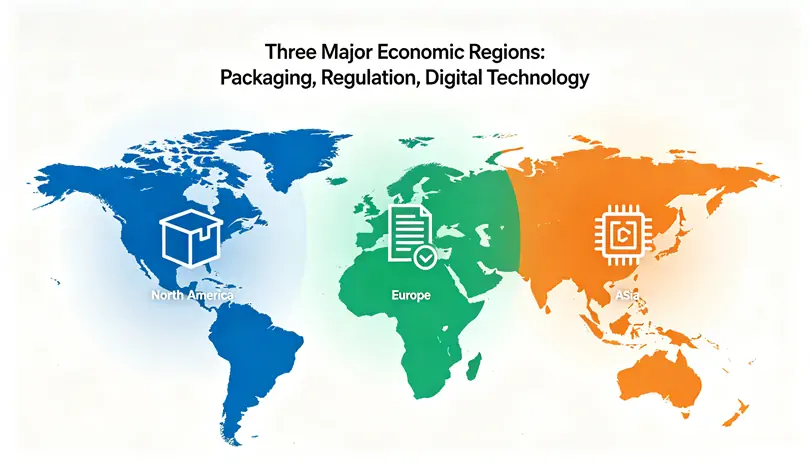
The Asia-Pacific region continues to account for the largest share of global laminating equipment installations. According to Smithers, Asia represented approximately 42% of global packaging print output in 2024, a share that is projected to grow through 2029 as e-commerce expansion and rising disposable incomes in India and Southeast Asia fuel demand for packaged goods. The flexible packaging segment is particularly active, with multi-layer film lamination being a core process for snack foods, personal care products, and pharmaceutical packaging.
In this environment, converters prioritise substrate range above most other specifications. A typical laminating line in the region may need to handle materials from 70 gsm lightweight paper to 350 gsm board, often switching between BOPP, PET, and increasingly mono-material barrier films on the same machine. Price sensitivity remains high relative to other regions, which means automation features are selected carefully: enough PLC control to ensure repeatable quality, but without the full MES integration and remote diagnostic packages common in European and North American installations. Flexible film lamination systems designed for multi-substrate production are gaining traction as local brands experiment with sustainable packaging structures without wanting to commit to single-film-dedicated lines. Explore flexible film lamination systems built for multi-substrate production.
Power consumption is an emerging concern. Electricity prices in India rose by an estimated 7-9% annually between 2020 and 2024, according to data from the Indian Ministry of Power, which has prompted larger converters to begin evaluating energy-efficient thermal laminators even when their upfront cost is higher. This is a shift from the historical pattern where the purchase price dominated the decision almost exclusively.
European demand for laminating equipment operates within a dense regulatory framework that directly shapes technical specifications. The EU Circular Economy Action Plan, adopted in 2020, sets binding targets for packaging recyclability by 2030, and the proposed Packaging and Packaging Waste Regulation (PPWR) introduces specific design-for-recycling requirements that extend to laminated structures. Under PPWR, packaging must be recyclable at scale by 2035, which has accelerated the shift toward mono-material barrier films that can be processed in existing recycling streams without delamination.
This regulatory direction translates into specific machine requirements. Mono-material films often have narrower thermal activation windows than multi-layer alternatives, demanding laminators that maintain temperature uniformity within ±2 °C across the full roller width. The European Committee for Standardisation (CEN) has been developing standards under CEN/TC 261 that address packaging recyclability testing, and while these are still evolving, equipment that can log and export process parameters per job—temperature, pressure, speed—is better positioned for compliance verification.
Energy cost is the other decisive factor. Eurostat data show that industrial electricity prices in Germany averaged approximately €0.20 per kWh in 2024, roughly triple the industrial rate in India and double that in many U.S. states. This makes power consumption per square metre of laminated output a central specification. European buyers routinely build 10-year total cost of ownership models that weigh energy consumption heavily, and a machine that consumes 15-20% less power than a comparable model can justify a significant price premium over its service life. Energy-efficient laminating equipment with job-level consumption tracking is increasingly treated as a baseline requirement for European tenders, not an optional upgrade. View energy-efficient laminating equipment with job-level consumption tracking
Safety certification follows well-established norms. CE marking under the Machinery Directive 2006/42/EC is non-negotiable, and many buyers specify additional compliance with ISO 13849 for safety-related control systems. Light curtains, dual-channel emergency-stop circuits, and automated film-break detection are standard features.
The North American market is characterised by replacement demand as converters retire ageing electromechanical laminators, combined with capacity expansion driven by e-commerce packaging growth. The U.S. Bureau of Labour Statistics reported that the printing and related support activities sector faced a quit rate averaging 2.7% per month during 2023, indicating persistent labour churn that makes operator training and retention a significant operational challenge. In this environment, automation features that reduce hands-on intervention—automated roll splicing, servo-driven registration, single-button job recall—are evaluated primarily through the lens of labour productivity rather than technological novelty.
Service infrastructure is a core purchasing criterion. Given the geographic spread of production facilities across the U.S. and Canada, converters place a premium on remote diagnostic capability and guaranteed response times. A laminator that supports Ethernet/IP or MQTT communication can feed real-time production data and fault codes to a manufacturer’s support team, enabling faster resolution than a service visit scheduled days after a breakdown. Modular laminating solutions that allow phased automation upgrades are gaining interest among mid-sized converters who prefer to add auto-splice or camera inspection capability in step with their own budget cycles rather than committing to a fully loaded machine upfront. Compare modular laminating solutions that scale with your production needs.
Regulatory pressure on packaging waste is growing but remains less unified than in Europe. State-level extended producer responsibility (EPR) laws have been enacted in California, Colorado, Maine, and Oregon, creating a patchwork that functionally pushes national and multi-regional converters toward the same design-for-recycling discipline that European regulations demand, even in the absence of a federal mandate.
The practical takeaway from these regional comparisons is that no single machine specification fits all markets. A converter operating exclusively in a price-sensitive Asian market may rationally prioritise substrate flexibility and purchase cost over energy monitoring and OPC UA connectivity. A European plant bidding on contracts from brand owners with public sustainability commitments needs documented energy consumption data and mono-material processing capability. A North American converter facing labour shortages prioritises automation and after-sales support over incremental specification improvements elsewhere.
For groups that operate across multiple regions, the challenge is finding a platform that can be factory-configured to meet the regulatory and operational profile of each site without creating a fragmented equipment fleet that complicates maintenance and spare parts management. An automatic laminating machine built on a modular architecture—where heating method, automation level, and connectivity package can be selected to regional requirements while sharing a common mechanical base—addresses this tension.
The next five years will likely see some convergence: energy costs are rising globally, labour constraints are spreading beyond North America and Europe, and packaging sustainability requirements are expanding from Europe to other major markets. Converters who select an automatic laminating machine with headroom in thermal precision and digital connectivity will now be better positioned if regional requirements tighten faster than expected.
For converters seeking equipment that can be specified to regional requirements without compromise, HONGQIANG’s region-configurable laminating systems are engineered on a modular platform that accommodates the differing priorities of Asian, European, and North American production environments, supported by application teams familiar with local compliance requirements. Discover HONGQIANG’s region-configurable laminating systems
Disclaimer: Regional market data cited is derived from publicly available sources, including Smithers, Eurostat, the U.S. Bureau of Labour Statistics, and the Indian Ministry of Power, and represents general market estimates. Equipment purchasing decisions should be based on your specific production requirements, local regulatory obligations, and direct consultation with equipment manufacturers.
The laminating machinery landscape is entering a period of structural change. According to Mordor Intelligence, the global market for laminating equipment was valued at approximately USD 1.8 billion in 2024 and is expected to surpass USD 2.2 billion by 2029, reflecting a compound annual growth rate of just over 4%. This growth is not evenly distributed—regional consumption patterns, raw material regulations, and the pace of digital printing adoption are reshaping what converters and packaging buyers expect from their finishing lines. An automatic laminating machine represents a major capital commitment, and its specification must be viewed through the lens of these long-term shifts.
Three macro forces are driving equipment orders. The first is the expansion of flexible packaging in food, pharmaceutical, and e-commerce sectors. As brands replace rigid containers with multi-layer pouches and wraps, the volume of film-to-paper and film-to-film lamination rises. Asia-Pacific, led by India and Southeast Asia, accounts for the largest share of new installations, while mature markets in Europe and North America are replacing older electromechanical lines with servo-driven, data-ready equipment.
The second driver is the shortening of print runs. Digital printing now represents a growing share of label and folding carton production, and laminators must pivot between jobs faster. The third factor is regulatory pressure on single-use plastics, which is accelerating adoption of mono-material barrier films that require tighter process control during lamination.
The next four years will see laminating equipment converge around a few technical themes. Thermal lamination with water-based or solvent-free adhesives is gaining ground as converters seek to eliminate VOCs and comply with regulations like the EU’s Industrial Emissions Directive. This shift demands machines with more precise temperature zoning and faster warm-up cycles.
Connectivity is another defining trend. A growing number of production facilities are implementing OPC UA and MQTT protocols to pull real-time data from finishing equipment into manufacturing execution systems. When comparing high-volume film lamination systems, the ability to log process parameters per job and trigger predictive maintenance alerts is becoming a differentiator, not a luxury. See how high-volume film lamination systems integrate these capabilities.
Automation in material handling is also advancing. Automated splice tables, non-stop roll changeovers, and inline quality inspection with camera-based defect detection reduce labour dependence—a critical factor in regions facing operator shortages. These features directly impact overall equipment effectiveness (OEE) and are increasingly cited in procurement criteria.
Not all markets prioritise the same features. In fast-growing Asian economies, price-competitiveness and wide substrate compatibility top the list. A laminator must handle everything from 60 gsm paper to heavy board without tool-intensive changeovers. In Europe, energy consumption per square meter and compliance with CE safety standards are decisive. North American buyers focus on service responsiveness and connectivity with existing digital workflows.
This fragmentation means that a machine designed for one region’s typical job mix may be over-engineered or under-equipped for another. Evaluating precision-engineered laminating equipment that can be configured for regional requirements, rather than a one-size-fits-all design, reduces the risk of purchasing a mismatched asset.
The 2026-2030 outlook carries practical implications for anyone preparing a capital expenditure request today. First, total cost of ownership models must account for energy prices and the rising cost of waste disposal. Machines that minimise adhesive waste and consume less power during idle periods will widen their cost advantage over the equipment’s 10- to 15-year lifespan. When you choose an automatic laminating machine now, its idle-mode efficiency and maintenance access design will affect profitability long after the initial purchase price is forgotten.
Second, compatibility with emerging film structures matters. Mono-material high-barrier films often require lower and more uniform lamination temperatures to avoid distorting the substrate. If a laminator cannot hold ±2 °C across its entire roller width, it will struggle with tomorrow’s sustainable packaging requirements.
Third, digital integration should be treated as a baseline, not an upgrade. Even if your plant is not yet running an MES, the laminator should be capable of providing OEE metrics, job-level material usage data, and remote diagnostic access so you are not forced into a retrofit later. For converters that aim to grow with these market trends, taking a closer look at integrated laminating solutions that are already aligned with Industry 4.0 principles can accelerate the payback period and simplify workforce training. Compare integrated laminating solutions built for evolving production environments.
An automatic laminating machine purchased today will likely still be in operation in 2035. The market trends shaping the next half-decade—sustainable films, data-driven maintenance, labour-saving automation—are not speculative; they are already visible in tender documents and regulatory proposals. By weighting your selection criteria toward energy efficiency, substrate flexibility, and native connectivity, you transform a routine equipment replacement into a competitive advantage.
For organisations seeking laminating systems designed with these long-term trends in mind, HONGQIANG’s engineered laminating solutions incorporate modular automation, closed-loop thermal control, and OPC-UA-ready architectures, supported by an application team that maps the equipment configuration to your projected job mix. Discover HONGQIANG’s engineered laminating solutions built for 2026 and beyond
Disclaimer: Market data cited is derived from publicly available industry reports and represents general market estimates. Equipment purchasing decisions should be based on your specific production requirements and confirmed directly with equipment manufacturers.
Shift after shift, small oversights in cleaning and inspection gradually erode the consistency of a laminating line. A little adhesive residue left on a roller today becomes a crease defect tomorrow. Tension drift that goes unchecked for a week turns into web breaks during a rush order. Yet daily maintenance doesn’t require an engineering degree—it requires a clear checklist and an understanding of why each task matters. When an automatic laminating machine is maintained with this level of discipline, output quality tends to be noticeably more stable, and unplanned downtime drops sharply.
The five tasks below take less than 20 minutes combined but address the most frequent sources of gradual process degradation. For teams running high-volume finishing operations, adopting a structured daily routine around these checks builds the foundation for predictable production. Learn how high-volume film lamination systems are engineered for easy daily maintenance.
The main laminating roller and pressure roller collect adhesive micro-deposits from film edges, especially when running pre-coated thermal films. Over a few shifts, this buildup creates uneven pressure points, leading to patchy gloss and weak bond lines. Use a manufacturer-approved roller cleaner and a lint-free cloth while the rollers are still warm—this softens the adhesive and makes removal easier. Never use abrasive pads; even fine scratches can trap adhesive faster and accelerate roller wear. Rotate the rollers manually during cleaning to inspect the entire circumference.
Walk the film web path from the unwind shaft through all idler rollers, nip points, and guides. Look for film dust accumulation, edge trims caught in rollers, or worn surface coatings on idler rollers. A scored idler roller can mark the film every rotation, causing repeating defects that are hard to trace after the job is complete. Clean the unwinding shaft’s expansion chucks and verify that the core adapters are free of residue. If the machine handles multiple film types, dedicate a few minutes to purging any residual film scraps that can cause tracking issues on the next run.
Thermal film lamination depends on adhesive activation within a narrow temperature band. Before starting the first job, compare the controller’s displayed temperature against a calibrated handheld infrared thermometer at two or three points along the roller surface. A deviation greater than ±2 °C suggests that the thermocouple or PID parameters need attention. Also check that the over-temperature alarm triggers at the set limit and that the machine enters standby mode during idle periods. Failing to verify this daily can result in film shrinkage or incomplete bonding—problems that only become visible downstream. When evaluating precision roller laminating configurations, the built-in diagnostic tools for thermal systems often make this daily check faster and more reliable. Explore precision roller laminating configurations designed for reliable temperature control.l
Tension settings that drifted overnight can cause film neck-in, edge curl, or telescoping rewind rolls. Verify that the unwind and rewind tension readings match the setpoints under both static and slow-jog conditions. If the machine uses load cells, confirm that the tare function zeros correctly with no film loaded. Watch the web guide system during a short test run: lateral oscillation or slow correction response usually indicates contaminated sensors or a sticking actuator. A quick wipe of the ultrasonic edge sensor and a visual check of the actuator linkage can prevent misalignment that otherwise produces waste on every job.
Daily confirmation of safety circuits is non-negotiable. Cycle each emergency stop button and verify that the machine cannot be restarted without a deliberate reset. Walk through the light curtain-protected zones to ensure that breaking the beam triggers an immediate stop of all hazardous motions—roller rotation, nip engagement, and carriage movement. If the laminator is equipped with an automatic film-break sensor, simulate a film snap by briefly interrupting the web (using a test mode, if available) and observe the stop response. These tests align with the functional safety principles described in ISO 13849 and are a core part of responsible operation.
Three patterns consistently limit the effectiveness of daily maintenance. The first is skipping roller cleaning because the previous job “looked clean”; even invisible residue builds up over successive runs. The second is adjusting tension or temperature to compensate for a mechanical problem, such as a worn bearing, instead of flagging the root cause. The third is treating safety checks as a paperwork exercise rather than a true functional test. A maintenance log that records actual observations—not just checkmarks—helps the next shift and the service team spot developing issues early. When you compare integrated laminating solutions, built-in self-diagnostic features can partially automate these daily verification steps, providing an audit trail that supports the operator’s routine. Compare integrated laminating solutions with automated maintenance support.
An automatic laminating machine that receives consistent daily attention yields fewer emergency calls, more predictable throughput, and a longer service life for critical consumables like rollers and belts. The five tasks described here form a minimal viable checklist; as operator familiarity grows, they become quick, habitual actions integrated into the shift start-up and shut-down procedures. For shops that want equipment where these daily checks are simplified by design—with tool-less guard removal, clearly labelled inspection points, and diagnostic displays that guide the operator—HONGQIANG’s engineered film laminating systems make maintenance accessibility a core design priority. Discover HONGQIANG’s engineered film laminating systems built for easy daily care
Disclaimer: The maintenance practices described are general recommendations based on common laminating machinery designs. Always refer to the equipment manufacturer’s specific maintenance manual and safety guidelines for your particular machine model.
Purchasing a new finishing machine often begins with glossy brochures and headline speeds, but what really determines daily output and scrap rate are the engineering details beneath the cover panels. A machine that looks competitive on a specification sheet can underperform if roller hardness, tension control, or thermal stability are mismatched to the actual job mix. For production teams, the difference between hitting yield targets and absorbing unplanned downtime frequently comes down to a handful of technical parameters evaluated before the order is placed. Understanding what to measure—and why—can directly impact profitability. When you start comparing high-volume film lamination systems, it’s essential to look past marketing claims and focus on repeatable, verifiable performance data. Explore the engineering behind high-volume film lamination systems.
The following seven specifications form a practical framework for technical evaluation. Each one addresses a known point of failure in real-world production environments.
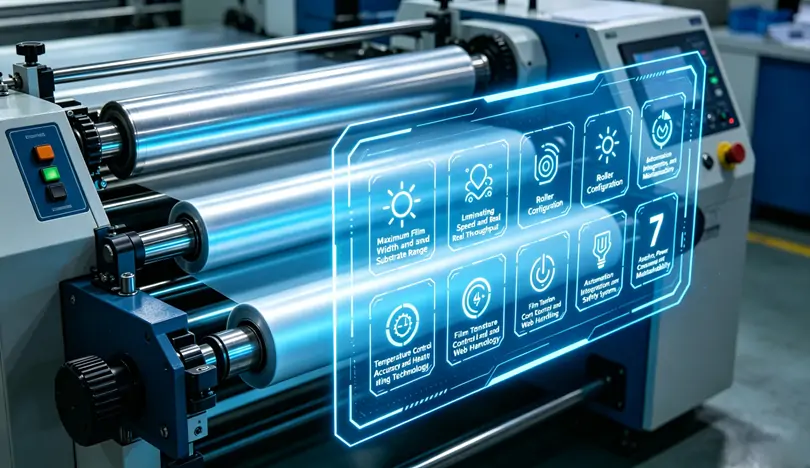
The rated maximum film width dictates not only the largest sheet you can laminate but also the machine’s ability to maintain edge-to-edge pressure uniformity. More importantly, the substrate range—minimum and maximum thickness, and the type of films supported (BOPP, PET, pre-coated thermal films)—determines job flexibility. Manufacturers publish a nominal width, but the usable working width is often narrower when running thin or high-slip films. Checking the minimum substrate thickness is critical: some designs struggle to transport materials below 80 gsm without creasing, while others have dedicated thin-film paths that minimise wrinkling. A request for a substrate compatibility matrix clarifies whether a given model aligns with your typical orders.
“Maximum mechanical speed” is measured under no-load conditions without film tension or heat stabilisation. The sustainable production speed, at which bond strength and visual quality remain consistent, may be 20–30% lower. Two factors influence real throughput: acceleration ramp time and the machine’s ability to maintain process stability during speed changes. Short-run shops, in particular, benefit more from rapid ramp-up and ramp-down than from an extreme top speed that is rarely reached. Independent test data or a speed-versus-bond-strength chart provides a more accurate picture than a single catalogue number.
[Image: Close-up of a PID temperature controller and speed readout on an industrial laminator control panel]
Laminating rollers are specified by Shore A hardness, typically ranging from 60 to 90. Softer rollers conform better to textured stocks and absorb minor calliper variations, while harder rollers produce high-gloss finishes on smooth substrates but are less forgiving of thickness changes. The method of gap adjustment directly affects long-term consistency: manual screw-based systems can develop uneven wear patterns, whereas servo-driven or pneumatic closed-loop designs maintain micron-level accuracy across the full width. Machines with independently controlled pressure zones give operators the flexibility to compensate for slight roller deflection, a common issue on wider formats. Examining precision roller laminating configurations helps you understand how mechanical design choices translate into day-to-day output quality. Review precision roller laminating configurations
Thermal lamination relies on activating an adhesive layer within a narrow temperature window. For EVA-based thermal films, deviations of just ±3 °C can cause incomplete bonding or heat-induced film shrinkage. Oil-based circulation systems offer even heat distribution across the roller surface and are preferred for wider machines, but they add maintenance complexity. Electric cartridge heating responds faster to setpoint changes, yet requires a well-engineered roller shell to avoid hot spots. A multi-zone PID controller with independent over-temperature alarms and an automatic standby mode during idle periods protects both the product and the roller surface, reducing scrap during starts and stops.
Tension fluctuations are a primary cause of wrinkles, telescoping rolls, and adhesive transfer onto rollers. Closed-loop tension control, using load cells on unwind and rewind shafts, continuously adjusts brake or motor torque as roll diameter changes. The accuracy of this system is often specified in Newtons; a machine that maintains tension within ±2 N delivers noticeably less edge curl and film neck-in than one that swings by ±8 N. Ultrasonic web guides further correct lateral misalignment, especially beneficial when laminating multi-layer structures where material stiffness differs between layers.
Full automation extends well beyond single-button cycle start. Features to examine include automated splice tables for non-stop roll changes, film-break detection that triggers an immediate stop before adhesive touches the roller, and automatic sheet alignment for registered lamination. From a safety perspective, SIL-rated light curtains, emergency stop circuits compliant with ISO 13849, and CE certification provide verifiable benchmarks. For facilities moving toward smart manufacturing, communication protocols such as OPC UA enable the laminator to feed production counts, downtime logs, and temperature data into an MES or ERP system. When you compare integrated laminating solutions, the software and connectivity layer often determines how efficiently the machine fits into a wider digital workflow. Compare integrated laminating solutions
[Image: Safety light curtain and emergency stop button location highlighted on a laminating machine guard]
A 1,600 mm laminator can require 40–60 square meters including service clearances, but the practical footprint is defined by material flow direction—inline or L-shaped—and access requirements for electrical cabinets. Power consumption varies significantly between heating methods and between models with similar output ratings, sometimes by 25% or more. Requesting a utility consumption estimate per 1,000 square meters of output allows for an apples-to-apples comparison. Maintainability is equally important: if the laminating roller extraction path is obstructed by the unwind unit, a routine roller re-grind becomes a two-day project. Cantilevered roller designs and tool-less guard removal reduce mean time to repair, and a reference site’s maintenance log offers more insight than a theoretical MTBF value.
A side-by-side matrix that captures film width, sustainable speed, roller hardness and pressure control, temperature accuracy, tension tolerance, safety certifications, and utility consumption provides a fact-based foundation for the purchase decision. Rather than chasing the highest number in each category, match the machine’s design strengths to the most frequent jobs in your production schedule. A configuration optimised for heavy board stock may not handle thin flexible packaging well, and vice versa. For those seeking to streamline the evaluation process, HONGQIANG’s engineered film laminating systems are built around these seven engineering priorities, and their technical team provides a pre-sale production assessment that maps your job mix directly to the correct configuration. Discover HONGQIANG’s engineered film laminating systems
Disclaimer: The specifications discussed represent general industry selection criteria and should be verified against each manufacturer’s technical documentation under your specific operating conditions.
Setting up your first roll‑fed laminator can feel intimidating. Between adjusting temperature, speed, and roller pressure, it’s easy to worry about wasting materials or damaging the device. Yet once you understand the basic workflow, the process becomes logical and repeatable.
This guide is written for complete beginners. We’ll break down every stage of the initial setup, highlight frequent errors, and share practical advice that saves you time and frustration. No advanced technical background required.
Start by placing the machine on a sturdy, level workbench. Ensure there is enough clearance on both sides for feeding and receiving materials. Remove all transport locks, adhesive tapes, and foam padding. Many machines include a wrench or Allen key – keep it close because you may need it for minor roller adjustments later.
Check the power cord, foot pedal (if included), and any additional rollers or shafts. Verify that the rollers rotate freely by hand. If you feel stiffness, refer to the manufacturer’s manual to release shipping clamps.
Why this matters: A stable and clean workspace prevents dust from sticking to rollers and ensures even pressure distribution. Most feeding issues trace back to an uneven table or forgotten transport locks.
Plug the laminator into a grounded outlet that matches the machine’s voltage rating (usually 110V or 220V). Do not use an extension cord unless absolutely necessary – voltage drop can affect heating consistency. Turn on the main power switch. The control panel will light up, and the temperature display will start showing ambient temperature.
Before heating, make sure no flammable objects are near the rollers. Remove wristwatches, loose sleeves, and long necklaces. For first‑time users, it’s wise to wear heat‑resistant gloves when handling hot rollers later.
Incorrect film loading causes 80% of jams and wrinkles. Most automatic laminators use a two‑shaft system – one for the top film roll and one for the bottom. Follow this sequence:
Place the film rolls onto their shafts with the adhesive side facing the rollers. The glossy (release liner) side should contact the roller surface.
Tighten the core adapters or locking cones firmly so the rolls cannot wobble.
Unwind about 30 cm of film from each roll. Peel the two layers apart slightly to create a “lip” – this helps feed into the nip.
Insert the lip between the rollers while pressing the “roller lift” or “feed” button. Some machines require you to manually crank a few turns.
Common beginner mistake: Loading the film backwards (adhesive side out). This wraps glue directly around the rollers, requiring a messy cleanup. Always double‑check the roll orientation before locking.
These three parameters work together. A common error is focusing only on temperature while ignoring speed matching.
Temperature – Start with the film manufacturer’s recommended value. For standard 1.5 mil thermal film, 105–115°C (220–240°F) is typical. Thicker film (3 mil) may need 120–130°C. Set the temperature and wait 10–15 minutes for the rollers to heat evenly.
Speed – Beginners should begin at the slowest setting (e.g., 1.5–2 m/min). Slower speed gives more reaction time and better bonding. Increase speed only after successful test runs.
Pressure – Turn both side pressure knobs equally, usually clockwise, to increase. A good starting point: set the pressure so that a folded piece of paper inserted between the rollers can be pulled out with light resistance. Excessive pressure squeezes out adhesive; too little leaves bubbles.
Pro tip: Keep a setup log. Note the temperature, speed, and pressure that work well for each film brand. This log becomes invaluable when switching materials.
Never start with your final print. Grab a scrap sheet of coated paper or inexpensive poster board – the same thickness as your target media. Run the test at your chosen settings. Watch for:
Wrinkles – Usually caused by uneven film tension or skewed roller alignment. Re-centre the film rolls.
Bubbles or silvering – Temperature too low or speed too high. Increase the temperature by 5°C or reduce the speed.
Curling output – Excessive temperature or pressure. Reduce both slightly.
If the test sheet comes out flat and clear, you’re ready for production. If not, adjust one variable at a time. Changing multiple settings simultaneously makes troubleshooting impossible.
Film doesn’t advance – Check if the safety guard is fully closed. Most automatic machines have interlock switches that stop the rollers when the guard is open.
Uneven gloss across the width – Pressure is higher on one side. Re‑balance the two pressure knobs using a feeler gauge or simple paper‑pull test.
Roller marks on prints – Rollers may have residual adhesive or debris. Clean them according to your manual (usually with a soft cloth and isopropyl alcohol while rollers are warm – not hot).
Machine stops mid‑run – Overload protection triggered. Turn off, wait 5 minutes, then restart. Reduce feed speed or material thickness.
Once you master the core workflow, you can explore advanced features like reverse function for removing stuck media, automatic film saving (cuts film between jobs), or variable speed profiles for textured substrates. Many commercial laminators also include a cooling fan system that prevents output sheets from sticking together.
If you’re looking for a reliable workhorse that handles daily operation with minimal adjustments, consider exploring professional laminating equipment built for consistent results. It offers precise digital temperature control and tool‑free roller changes – features that reduce setup time once you’re ready to upgrade.
Clean rollers after every shift – Residual adhesive hardens and creates repeating marks.
Store film in a cool, dry place – Humidity degrades the adhesive layer.
Calibrate temperature every 6 months – Use a surface thermometer to check actual roller temperature against the display.
Setting up an automatic laminator for the first time is a skill, not a talent. By following this structured process, you’ll avoid the most common frustrations and produce consistently high‑quality laminates from day one.
Disclaimer: Always refer to your specific machine’s manual for safety and operational instructions. The settings mentioned are typical values; your equipment may require different parameters.
In modern printing environments, post-press finishing is no longer a “secondary step.” It directly impacts product durability, visual appeal, and customer satisfaction. Among all finishing processes, lamination plays one of the most critical roles—especially for commercial packaging, book covers, and high-end marketing materials.
However, many print shop owners face a recurring challenge: choosing equipment that balances speed, stability, and material compatibility without over-investing in unnecessary complexity.
This guide breaks down the key decision factors so you can make a more informed and future-proof investment.
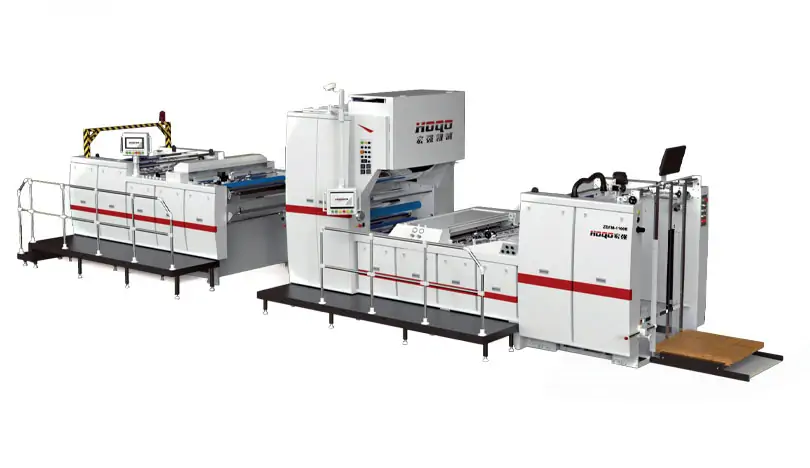
Before comparing specifications, it is important to understand what your production line actually needs. Many buyers focus only on speed or size, but ignore workflow continuity, film stability, and operator efficiency.
A well-structured lamination process should ensure:
• Stable film tension control
• Consistent heat distribution
• Minimal manual intervention
• Compatibility with coated and uncoated paper
When these factors are aligned, production becomes predictable, and waste is significantly reduced.
For shops looking to explore advanced film handling systems designed for stable production output, you can review this configuration example:
high-speed film lamination workflow system
This type of setup is often preferred by medium to large print facilities aiming to reduce downtime caused by manual adjustments.
One of the most overlooked issues in print finishing is substrate variation. Paper thickness, coating type, and ink absorption levels can all affect lamination results.
For example:
• Gloss-coated paper may trap air bubbles if the pressure is uneven
• Thin paper may curl under excessive heat
• Digital prints may require lower-temperature lamination cycles
These variations mean that a flexible system is far more valuable than a rigid high-speed-only machine.
In ISO 12647 printing environments, maintaining consistent surface finishing is critical for colour accuracy and branding consistency.
To better understand how adjustable configurations improve output stability, explore this technical breakdown: Adjustable print finishing configuration overview
This helps operators match machine parameters to different production batches without constant recalibration.
Many print shop owners assume faster equipment automatically increases profitability. In reality, unstable high-speed operation often leads to:
• Higher film waste
• Rework due to bubbling or misalignment
• Increased operator supervision
• Shortened component lifespan
This is where a properly engineered lamination system becomes essential. Interestingly, the so-called “high-speed mode” of an Automatic Laminating Machine is only effective when pressure, heat, and feeding systems are synchronised.
Without this balance, speed becomes a liability rather than an advantage.
If your production line is scaling beyond short-run jobs, it is worth reviewing integrated automation solutions designed for consistent throughput:
industrial print finishing automation solution
This type of system is typically used in packaging and commercial printing environments where consistency matters more than raw speed spikes.
Even the most advanced equipment can become inefficient if it requires constant manual adjustments. Modern print shops increasingly prioritise:
• Quick roll replacement systems
• Automated temperature calibration
• Easy-access maintenance structure
• Real-time error detection
These features reduce downtime and allow operators to focus on production quality instead of machine troubleshooting.
From a long-term cost perspective, maintenance efficiency often has a greater impact on ROI than initial purchase price.
In fact, industry surveys in commercial print facilities show that downtime reduction of just 10–15% can significantly increase annual output capacity without additional labour costs.
Comparative Overview: What to Look at Before Purchasing
Below is a simplified comparison framework used by many production managers:
| Factor | Low‑End System | Advanced System |
| Film Tension Control | Manual | Automatic |
| Temperature Stability | Variable | Precision‑controlled |
| Material Compatibility | Limited | Wide range |
| Operator Dependency | High | Low |
| Waste Rate | Higher | Lower |
This comparison highlights why many growing print shops eventually transition to more integrated solutions instead of basic entry-level systems.
Today’s printing industry is moving toward fully integrated workflows, where printing, cutting, and finishing are connected into a seamless production line.
A key advantage of this approach is reduced handling time between processes, which improves both efficiency and consistency.
For businesses planning to upgrade their finishing section, reviewing scalable configurations can be a practical first step:
scalable print finishing system overview
This approach allows print shops to expand capacity gradually without replacing the entire production setup.
Consider a mid-sized packaging print shop handling cosmetic boxes. The main challenge is maintaining a consistent gloss finish across multiple batches while switching between different paper coatings.
After upgrading to a more automated system, the shop typically experiences:
• Reduced setup time between jobs
• Fewer lamination defects
• More consistent gloss levels
• Improved delivery timelines
Over time, these improvements translate into stronger customer retention and higher order volume capacity.
When evaluating lamination equipment, avoid focusing solely on speed or price. Instead, prioritise:
• Stability of operation
• Material adaptability
• Workflow automation level
• Long-term maintenance efficiency
If your production line is expanding or dealing with increasingly diverse materials, investing in a more advanced Automatic Laminating Machine can help standardise output quality and reduce operational risks.
For print shops looking to upgrade their finishing capabilities, HONGQIANG provides scalable solutions designed for commercial production environments:
Request professional lamination solution guidance
If you're considering investing in a fully automatic laminator, let me put it bluntly: the key is high throughput, high precision, and consistency. Think of applications like commercial printing, packaging production, advertising materials, and document storage. Hongqiang's fully automatic laminator is completely different. It's professionally certified and designed to solve the challenges in these four core application scenarios. Moreover, data shows it's three times more efficient than semi-automatic models, achieving a lamination consistency of up to 99.8%.
If you're a commercial printing company that produces over 5,000 book covers, brochures, or product catalogs daily, the instability of manual or semi-automatic laminators will drive you crazy. I previously consulted for a printing factory in Shanghai, and they replaced their existing semi-automatic laminator with a Hongqiang fully automatic laminator. I can confidently tell you the difference in results is phenomenal. They reduced the production time for 10,000 textbook covers from 8 hours to 2.5 hours—and the laminated covers were wrinkle-free, with no curling edges—everything was flawless. Unlike cheap imitations on the market, Hongqiang's fully automatic laminating machine is equipped with a high-quality 130mm silicone roller and an external damper for fine-tuning, so the laminating material won't shift even during continuous operation. It supports hot and cold lamination, is suitable for both glossy and matte finishes, and features an intelligent PLC control system, eliminating the need for constant monitoring—a huge convenience when handling multiple orders simultaneously.
Packaging is the first thing customers see—therefore, if you produce high-end gift boxes, food packaging, or cosmetic packaging, a fully automatic laminating machine is not just an added bonus, but a necessity. Just last quarter, a cosmetics brand in Guangzhou tested three laminating machines, and Hongqiang's fully automatic laminating machine far outperformed them. It's faster and more precise—98% of the laminated packaging boxes meet stringent visual standards, compared to only 72% for the second-ranked machine. What are the advantages of Hongqiang laminators? You can customize the lamination width and opt for an optional electrostatic brush to remove dust—ensuring a perfect fit even on rough or irregular packaging surfaces.
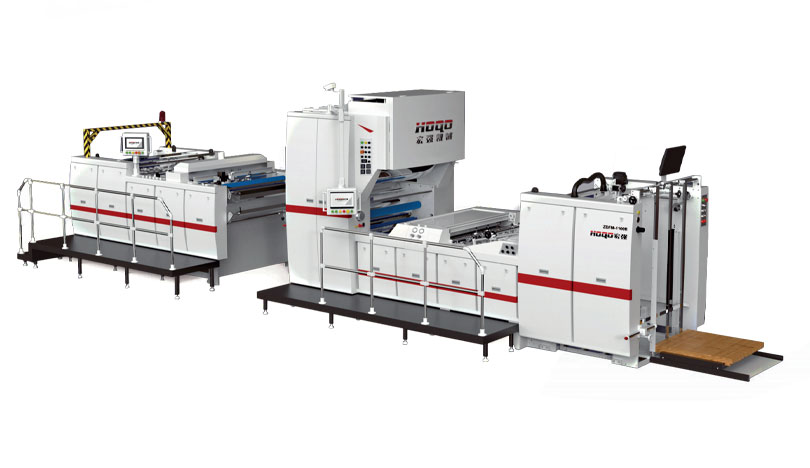
Billboards, posters, and exhibition displays—they require laminators capable of quickly handling large, thin materials without deformation. I worked with an advertising company in Beijing who used two Hongqiang fully automatic laminators, producing over 200 large posters daily. The automatic paper feeding and rolling system? It's revolutionary for operators—no more carrying heavy materials all day. Adjustable temperature control ensures a strong bond, even in humid environments. Unlike semi-automatic laminators that require significant time to adjust for different material sizes, Hongqiang's quick-change lamination mechanism can switch between 917mm and 1520mm lamination sizes in 5 minutes or less. This reduces downtime by 60%—believe me, their team is fascinated by it.
Libraries, government agencies, law firms—they need laminators to protect fragile documents while ensuring consistent lamination across hundreds of documents. Hongqiang's fully automatic laminator uses a cold lamination mode, ideal for old documents or those sensitive to ink, and its pressure-adjustable rollers prevent creases. An archive in a city in Zhejiang has been using Hongqiang laminators for three years, laminating over 10,000 historical documents. Not a single instance of lamination peeling or ink bleeding has occurred—a testament to its gentle and safe lamination effect. More importantly: Hongqiang offers customized lamination solutions for irregularly sized documents. Many brands of laminators are expensive. This feature requires an additional fee, but we include it as standard—because frankly, there's no "one-size-fits-all" solution for artifact preservation.
Ultimately, a fully automatic laminator is more than just a tool; it's an investment in efficiency, quality, and avoiding workload stress. If your business falls into any of the following four categories, then Hongqiang's fully automatic laminating machine is not only a perfect fit, but will completely transform the way you work. Click here to view our product range, or contact our team for a free on-site demonstration tailored to your needs.
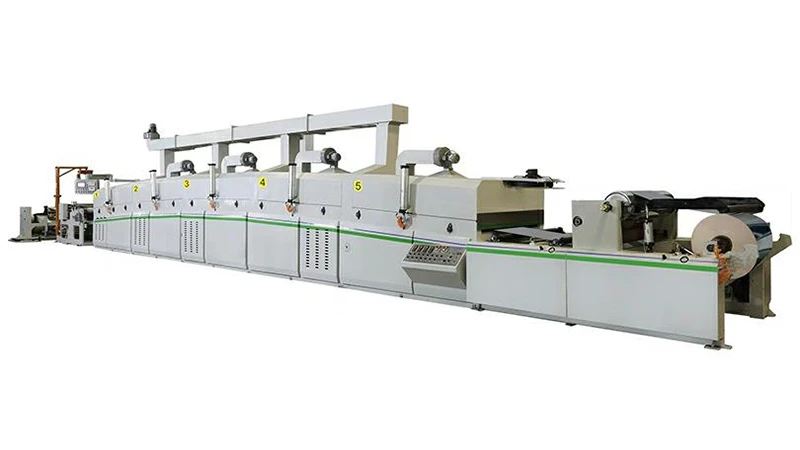
In today's competitive packaging industry, precision and efficiency are paramount. HONGQIANG's Automatic Cardboard Laminating Machine represents the pinnacle of modern packaging technology, designed to meet the demanding requirements of gold and silver cardboard production, laser materials, and tobacco and wine packaging applications.
Caption: HONGQIANG Automatic Cardboard Laminating Machine - Revolutionizing packaging production with advanced automation technology
Our flagship model, the ZDFH-W-1300 Fully Automatic Aluminum Film Cardboard Lamination Coating Machine, offers:
One of the standout features of our Automatic Cardboard Laminating Machine is its exceptional versatility. The equipment can process a wide range of materials including:
Caption: Premium gold and silver cardboard packaging solutions for luxury brands
The machine incorporates advanced roller design and adjustable pressure settings that allow it to handle even textured surfaces with ease. The rollers conform to uneven surfaces, ensuring complete coverage and a smooth, professional finish every time.
Caption: The precision lamination process ensures flawless results for all packaging needs
It's highly versatile. It can handle common materials like paper, cardboard, PVC sheets, and even some thin plastic films. Whether it's for packaging boxes, brochures, or product labels, this machine can do the job effectively.
Yes, it is. Our advanced roller design and adjustable pressure settings allow the machine to adapt well to textured surfaces. The rollers can conform to the unevenness, ensuring complete coverage and a smooth lamination finish.
We recommend regular monthly inspections. Key maintenance tasks include cleaning the rollers to remove any adhesive residue or debris, checking the belt tension for smooth operation, and lubricating the moving parts.
The operation is quite user-friendly. We've designed an intuitive control panel with clear icons and simple functions. While basic operation can be quickly grasped, we also offer comprehensive training materials.
HONGQIANG's Automatic Cardboard Laminating Machine represents the perfect combination of advanced technology and user-friendly design. With its exceptional speed, versatility, and precision, it's the ideal solution for businesses looking to enhance their packaging production capabilities.contact us today to find the perfect lamination solution for your business needs.


Analysis
Consultation
Solution proposal
Quote
GET A QUOTE


E-Mail : [email protected]

Wechat / WhatsApp / Cell :+86- 13587960872

Adress :No. 508, East Third Road, Gexiang High tech Industrial Park, Rui'an City, Zhejiang Province China
Get in Touch
Copyright2024. Ruian Hongqiang printing Machinery CO. LTD. All Right Reserved SiteMap